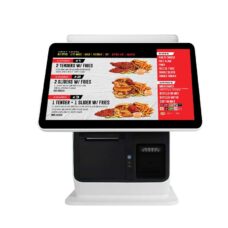
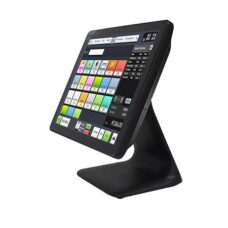
15.6 inch POS Machine for Small Business
- 15.6 inch new capacitive touch screen, with better using feeling
Ultra slim design. - Support Android or Windows motherboard: Window OS: J1900; Android OS: RK3288, especially for the android OS.
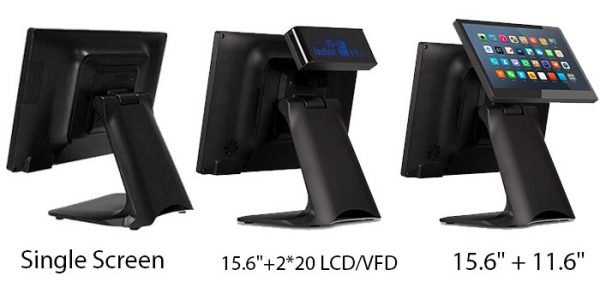
- Can support different size customer display: customer display/ 2×20 LCD/ VFD/ 11.6 inch display.
- Aluminum stand design for anti-slide, stable and much more designable.
- Smart cooling system, stable and efficient operation experience
- With more competitive price.

- Description
Product Description

Specifications of VFD Display POS Machine
| Main Board | Android | Windows |
| CPU | RK3288: Android 7.1/9.0 RK3568: Android 11 |
Baytrail J4125/ J1900 QuadCore 2.0GHz (Optional:I3/I5) |
| OS Support | Android 7.1/9.0/11 | Windows 7/10 |
| Display | ||
| Display | 15.6″ LED TFT Resolution:1366*768 (Optional 1920*1080P) |
15.6″ LED TFTResolution:1366*768 Optional 1920*1080P |
| Brightness | 250 nits | 250 nits |
| Touch Screen | Multi-point Capacitive touch screen | Multi-point Capacitive touch screen |
| Storage | ||
| SSD | 8G | 64G/128G |
| Memory | 2G | 4G/8G |
| I/O Ports | ||
| Serial | 1 x COM | 1× COM |
| USB | 5 x USB 2.0 (External),2x USB 2.0,(Internal, reserved for touch screen, MSR) | USB x 5 (4 in IO panel, 1 beside the power button) |
| LAN | 1 x RJ-45, Giga LAN | 1 x RJ-45, Giga LAN |
| VGA | 1 x DB-15, Female | 1 x DB-15, Female |
| Wifi | IEEE802.11b/g | Option |
| Optional | MSR,RFID,Fngerprint,2*20 VFD customer display,11.6 inch customer display | MSR,RFID,Fngerprint,2*20 VFD customer display,11.6 inch customer display |



Safety note:
– Do not tear the serial number on the motherboard and the dealer’s warranty sticker before installation, as this will affect the warranty period of the product.
– Be sure to turn off the power and unplug the power cord from the outlet before installing or adding other hardware devices.
– When installing external connectors from other hardware devices to the machine, make sure the connectors and sockets are tightly coupled together.
– When you unplug the machine from its power outlet, make sure the power supply is turned off.
– Before starting the power supply, make sure that the voltage of the power supply is the standard voltage value set in the window.
– Before turning on the power, make sure all hardware wiring and power cords are properly connected.
– Place the machine in a stable location.
– Do not place the machine in an environment where the temperature is too high.
– Do not clean the surface with corrosive chemical cleaners.
If you are not familiar with the installation or have any technical questions about the product, please consult a professional technician